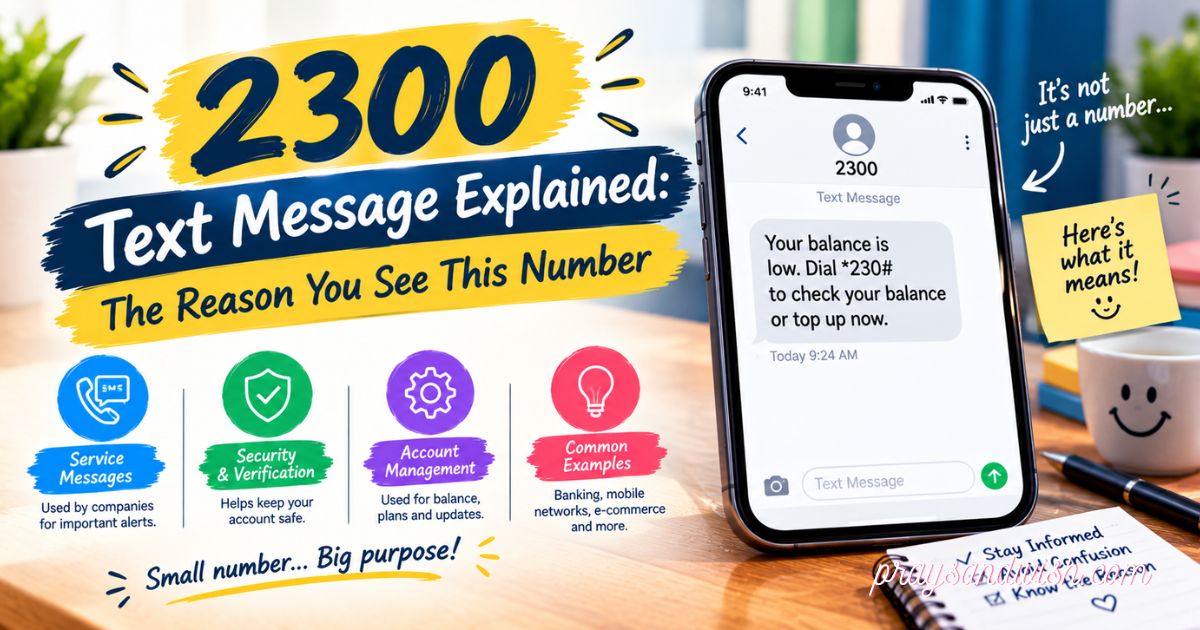
2300 Text Message Explained: What It Means, Why You Received It, and What to Do
Have you ever opened your phone bill and noticed a strange number like 2300 text message? You are not alone. Many people see this number and start wondering, “Why is this here?” or “Did something happen to my phone?” The truth is that a 2300 text message is often connected with normal mobile network activity.
It may appear when your phone handles pictures, videos, group chats, or other messages. But because the number looks unfamiliar, it can create confusion. In this guide, we will uncover the meaning behind 2300, explain why it appears, and share simple steps to understand what you should do when you see it.
Table of Contents
What Is a 2300 Text Message?
A 2300 text message usually refers to a message record connected with the short code 2300.
Unlike regular phone numbers, short codes are only a few digits long. Companies and mobile carriers use them for automated services, alerts, and messaging systems.
Sometimes, you may not see an actual conversation with 2300 inside your messaging app. Instead, it may appear in your carrier usage history.
A 2300 entry can be related to:
- Picture messages (MMS)
- Videos sent through messages
- GIFs and other media files
- Group conversations
- Network messaging activity
For example, if you send a photo in a group chat, your carrier may create a record connected with this type of activity.
Seeing 2300 does not automatically mean someone has used your phone without permission.
2300 Text Message on iPhone vs. Android
The meaning of a 2300 text message is usually connected more with your mobile network than your phone type. However, iPhone and Android users may notice it in different ways.
2300 Text Message on iPhone
iPhone users may see 2300 in their carrier records when using features like:
- iMessage and MMS communication
- Group chats
- Photo sharing
- Video sharing
The number may not appear as a normal chat in the Messages app because it can be a carrier-side record.
2300 Text Message on Android
Android users may also see 2300 because of:
- MMS messages
- Multimedia sharing
- Group messaging
- Carrier processing
If you see this number, check your recent messages and compare the time with your phone activity.
In many cases, the entry is simply a normal messaging record.
Is 2300 a T-Mobile Short Code?
Many people search for “2300 text message T-Mobile” because this number is often linked with T-Mobile messaging activity.
A short code can be used by mobile networks for different purposes. The exact meaning depends on:
- Your carrier
- Your messaging activity
- Your account details
- The type of message sent or received
For some T-Mobile users, 2300 may appear when multimedia messages are processed through the network.
If you use another carrier, the meaning may not be exactly the same. The best way to confirm is to check your carrier usage details.
Why Does 2300 Appear on My Phone Bill?
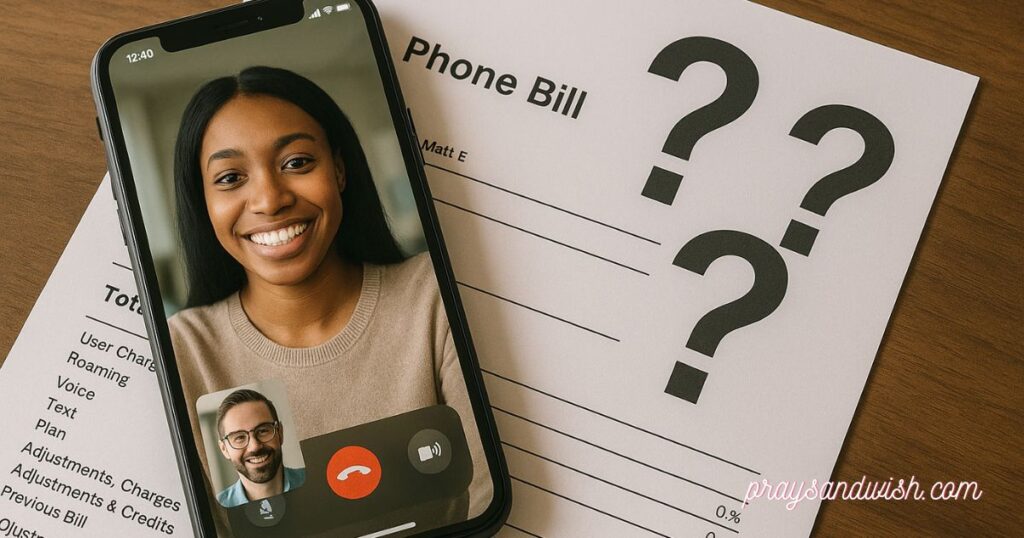
One of the most common reasons people search for 2300 text message is because they see this number on their phone bill or mobile usage report.
Your carrier’s bill does not always show messages the same way they appear on your phone. Sometimes, it records the technical activity behind sending or receiving a message.
A 2300 entry may appear because of:
- 📷 Sending or receiving pictures
- 🎥 Sharing videos
- 😀 Sending GIFs
- 👥 Group messages
- 📱 MMS messaging activity
- ⚙️ Carrier network processing
For example, when you send a picture in a group chat, your carrier may create a record connected to that message. This does not mean you personally sent a normal text message to 2300.
If you are worried, check:
- The time of the 2300 entry
- Your recent messages
- Your picture and video activity
- Your group chats
In many cases, the entry is simply a normal carrier record.
Why Are There Multiple 2300 Text Messages?
Seeing many 2300 text message entries can look confusing. Some people think it means someone is using their phone or sending messages without permission.
However, multiple entries do not always mean there is a problem.
Several 2300 records may appear because of:
- Multiple pictures sent at once
- Several videos shared
- Active group conversations
- Repeated MMS activity
- Network message processing
For example, if you send many photos in one conversation, your carrier may create multiple records for that activity.
The best way to understand these entries is to compare them with your phone activity. If the times match your normal messages, there is usually no reason to worry.
What Does “2300 Mauritius” Mean?
Some users search for “2300 Mauritius text message” after seeing a location name connected with the number.
This can be confusing because people may think the message came from another country. However, a location label does not always mean the message was physically sent from that place.
Phone systems and databases can sometimes display short code information in different ways.
Before worrying about international activity, check:
- 📱 Your carrier usage details
- 💳 Your monthly bill
- 🌎 Any international charges
- 🔐 Your account activity
Do not share personal information just because a message shows a location or country name.
Is a 2300 Text Message a Scam?
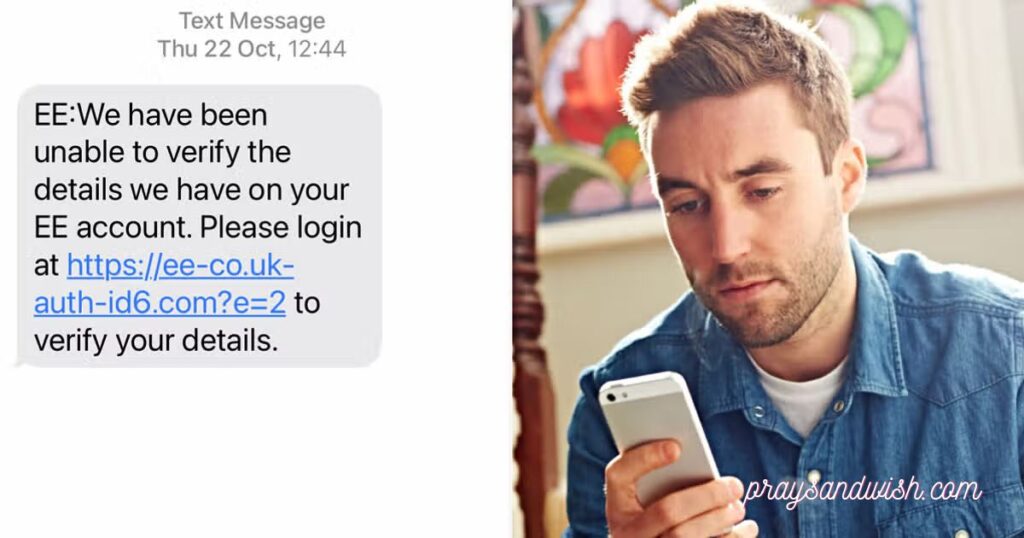
A 2300 text message is not automatically a scam. Many short codes are used for normal services, including mobile network communication.
Many people receive unknown messages and wonder about their meaning, just like other online text terms. You can also learn more about JOI meaning to understand different message-related terms.
However, you should always be careful with unexpected messages.
A message may be suspicious if it:
- 🔗 Contains an unknown link
- 💳 Requests payment details
- 🔐 Asks for your password
- 🪪 Requests private information
- 🎁 Offers a prize you never entered
- ⏰ Creates pressure to act quickly
Never click suspicious links or provide sensitive information through an unexpected text.
If you are unsure, verify the information using your carrier’s official app or website.
How to Tell if the 2300 Message Is Legitimate
The easiest way to check a 2300 text message is to look at the context around it.
Understanding common internet words and short forms can help you read messages better. For example, you can check ICL meaning to learn what this popular abbreviation stands for.
Ask yourself:
- Did I recently send or receive a picture?
- Was I part of a group chat?
- Did I share a video or GIF?
- Does the time match my messaging activity?
- Does the message ask for personal information?
A normal carrier-related message usually matches something you recently did on your phone.
A suspicious message often tries to make you act quickly or share private details.
Always check first before taking any action.
Does 2300 Mean My Phone Was Hacked?
Many people become worried when they see a 2300 text message because they think someone has hacked their phone.
The important thing to know is that seeing 2300 alone does not mean your phone is hacked.
A 2300 entry is often related to normal messaging activity, such as MMS messages, group chats, or carrier records.
However, you should check for other warning signs, such as:
- 🔐 Passwords changed without your permission
- 📱 Unknown apps installed on your phone
- 💬 Messages sent that you do not recognize
- 📧 Strange account security alerts
- 💳 Unknown purchases or payments
- 📲 Unknown devices connected to your accounts
If you do not notice any unusual activity and 2300 only appears in your carrier records, it is likely just a normal network message record.
What Should You Do If You See 2300?
If you find a 2300 text message on your phone or bill, do not panic. Start with a few simple checks.
Follow these steps:
1. Check Your Messages
Look through your recent conversations and see if you recently:
- Sent pictures
- Shared videos
- Used group chats
- Received multimedia messages
2. Check Your Carrier Usage
Open your carrier account and review the details. Compare the time of the 2300 entry with your recent phone activity.
3. Review Your Bill
Make sure there are no unexpected:
- Extra charges
- International fees
- Premium message charges
4. Contact Your Carrier
If you still do not understand why 2300 appears, contact your mobile provider. They can check your account and explain the activity.
In most cases, a 2300 entry is simply a technical record and does not require any action.
What If You See “Message Blocking Is Active”?
Sometimes people notice message blocking errors while also seeing unusual message records.
A message blocking notification usually means that texting is restricted because of settings, account problems, or carrier-related issues.
Possible reasons include:
- A blocked contact
- Messaging settings problems
- Account restrictions
- Network issues
- Service problems
You can try these solutions:
- 🔄 Restart your phone
- 📶 Check your mobile connection
- ⚙️ Review message settings
- 👥 Check blocked contacts
- 📱 Update your phone software
- 📞 Ask your carrier for help
Remember that a message blocking issue and a 2300 entry are not always connected.
Does 2300 Charge You Extra?
Many users worry that a 2300 text message means they will have to pay extra money.
The appearance of 2300 in your usage history does not automatically mean there is an extra charge.
To know if you were charged, check your actual phone bill for:
- 💵 Additional text fees
- 🌎 International charges
- 📦 Premium messaging costs
- 💳 Unknown subscriptions
A usage record only shows activity. It does not always mean you were billed extra.
If you find a charge you do not understand, contact your carrier and ask them to explain it.
2300 Text Message: Common Problems and Solutions
Sometimes users may face confusion when they see 2300 repeatedly. The following solutions can help:
Problem: 2300 Appears Many Times
Solution: Check your recent MMS messages, group chats, and media sharing activity.
Problem: You Do Not Recognize the Activity
Solution: Review your carrier account and contact customer support if needed.
Problem: You Think It Is a Scam
Solution: Avoid clicking links and do not share personal information.
Problem: Messages Are Not Sending
Solution: Restart your phone, check your network, and review message settings.
Simple checks can help you understand whether the 2300 entry is normal or needs attention.
How to Protect Yourself From Suspicious Text Messages
Even if a 2300 text message is connected with a real carrier service, it is always a good idea to stay careful with unexpected texts.
Scammers often use text messages to trick people into sharing private information or clicking unsafe links. Good security habits can help keep your accounts and personal information safe.
Follow these simple tips:
- 🔒 Never share your passwords through text messages
- 🔗 Do not click links from unknown senders
- 💳 Avoid sending credit card or payment information by SMS
- 🪪 Do not share personal details without checking first
- 📱 Use your carrier’s official app for account information
- 🚫 Block messages that look suspicious
- 📢 Report unwanted or harmful texts to your mobile provider
If a message creates fear, pressure, or urgency, take your time and verify it before doing anything.
Remember, a trusted company will not usually ask you to provide sensitive information through an unexpected text message.
2300 Text Message: What Does It Mean, Why You Received It, and What to Do
A 2300 text message is a message record that may appear on your phone or mobile carrier history. Many people become confused when they see this number because they do not remember sending a message to 2300.
In most cases, 2300 is connected with short code messaging or carrier activity. It can appear when your phone sends or receives different types of messages, such as:
- Pictures
- Videos
- GIFs
- Group messages
- MMS messages
A short code is a special number that companies or mobile networks use for automatic messages. It is different from a normal phone number.
Seeing 2300 text messages does not always mean there is a problem with your phone. It does not automatically mean your phone is hacked or that someone is using your device.
If you see 2300, you should:
- Check your recent messages
- Look for pictures or videos you recently shared
- Check your phone bill or usage history
- Contact your carrier if you still have questions
Understanding what 2300 means can help you avoid unnecessary worry.
2300 Text Message: Final Things You Should Know
A 2300 text message may look strange at first, but it is often related to normal mobile messaging activity.
Texting language changes quickly, and many people see new slang words online. Learning terms like Jit slang can help you understand modern conversations better.
The number can appear because of carrier records, multimedia messages, or short code services. Many users see it after sending or receiving pictures, videos, or group messages.
Remember these important points:
- 2300 does not always mean a scam
- It does not automatically mean your phone is hacked
- It does not always mean you have extra charges
- It may simply be a record created by your mobile network
The best way to understand a 2300 message is to check the details around it. Look at your messages, your usage history, and your bill.
If everything matches your normal phone activity, there is usually nothing to worry about. If something looks unusual, stay careful and contact your mobile provider for help.
By knowing how short codes work, you can better understand 2300 text messages and handle them with confidence.
Conclusion
A 2300 text message may look confusing when you first see it, but it is often connected with normal mobile network activity. It can appear because of pictures, videos, group messages, or other messaging services. Seeing 2300 does not always mean your phone is hacked or that you have a problem.
The best thing you can do is check your messages, review your phone bill, and understand where the activity came from. If something looks strange, you can contact your mobile carrier for help. By learning how short codes work, you can feel more confident and know what steps to take when you see a 2300 text message.
Frequently Asked Questions
What is a 2300 text message?
A 2300 text message is a short code message record that may appear because of mobile network activity, such as MMS or group messages.
Is 2300 a scam message?
Not always. A 2300 text message can be normal, but you should be careful if it asks for personal information or payment.
Does 2300 mean my phone is hacked?
No. Seeing 2300 alone does not mean your phone is hacked. It is often related to normal messaging activity.
Why does 2300 appear on my phone bill?
It may appear because your carrier recorded message activity, such as sending pictures, videos, or other media.
Can 2300 charge me extra money?
A 2300 entry does not always mean extra charges. Check your phone bill to confirm if any fees were added.